Parameters
Some Submissions take Submission Parameters or Data Set Parameters. These are configured by Administrators in 1Data Gateway, under the Metadata tab of a Specification's Configuration.
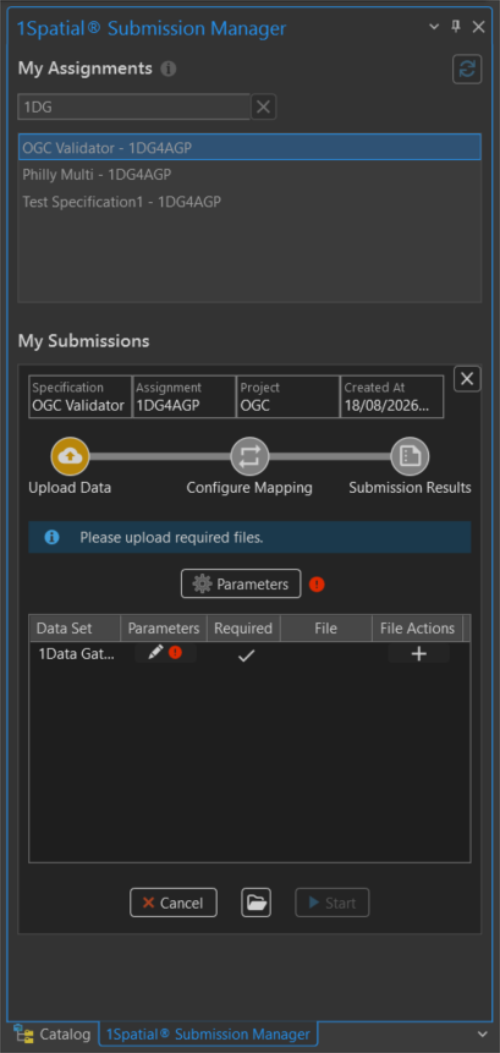
Required Parameters are marked with a red warning symbol  .
.
Submission Parameters
Submission Parameters are known as Metadata during the Upload Data phase in 1Data Gateway or Session Metadata in the Specification Configuration. To edit Submission Parameters click the Parameters button  above the Data Sets. This opens the Submission Parameters panel, showing all the required and optional parameters.
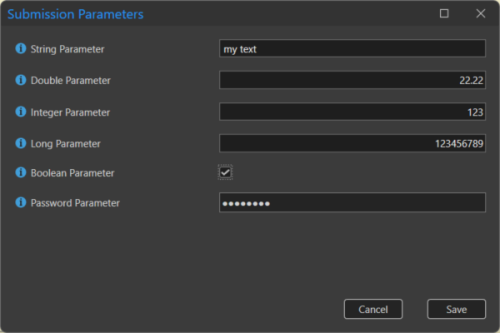
Click Save to confirm the parameters and close the panel.
Data Set Parameters
Data Set Parameters are known as Parameters during the Upload Data phase in 1Data Gateway or Data Store Parameters in the Specification Configuration. To edit Data Set Parameters click the Edit Parameters button  in the Parameters column for that Data Set. This opens the Data Set Parameters panel, showing all the required and optional parameters.
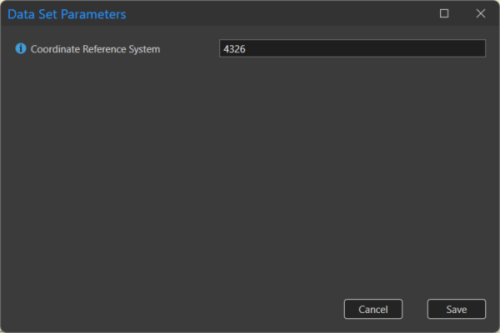
Click Save to confirm the parameters and close the panel.
Note: Only File Geodatabase data set parameters are compatible with the Add-in. Parameters from other optional input data formats will not be shown.
 minute read