Introduction
Welcome to 1Streetworks. This user guide is written for new users and is presented in a logical progression through the workflow for finding and displaying existing traffic management plans, and then creating new plans, editing plans, and generating PDF documents for traffic management plans.
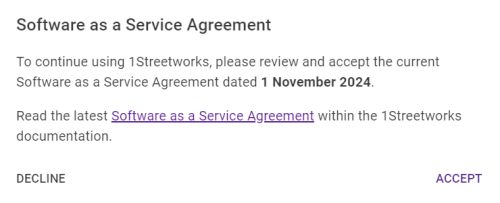
When you first log into 1Streetworks, the SaaS (Software as a Service) Agreement panel will appear. This needs to be accepted in order to continue, and will only reappear when there is an update to the agreement.
Getting Started
-
New to 1Streetworks? Here is a quick summary of what it is.
-
No bells, no whistles. The quickest way to see how to start making your own plans in 1Streetworks.
-
A collection of interactive demos that showcase some of the different aspects of 1Streetworks.
-
How to interact with 1Streetworks, including Map Controls and map Layers.
-
All the information on creating, opening, and editing traffic management plans.
-
See Plans from all members in your Collaboration groups.
-
All the options for account management and administration tools.
-
A summary of all the new features from the latest release.
-
Release notes, system requirements and links to important resources.
 minute read