Creating Plans
Plans are created in one of three ways: Auto-draft, Manual, or Duplicate.
Auto-draft creates a Plan in four easy steps; draw a Works Area, complete the Create Plan Wizard by filling out the three short questionnaires, generate the Auto-draft, and accept the drafted Plan.
Manual skips straight to Plan Features with an empty drafted Plan. This allows manual Works Area drawing and assignment of all resources and signage.
Duplicating Plans can be accessed from any existing accepted Plan.
Make a new Plan
To create a new plan, select Create Plan at the top right of the Plans panel.
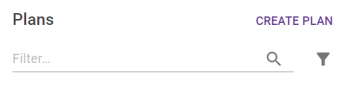
This will open the Create Plan panel.
If your map isn't at the correct location or zoomed in close enough, navigate there/zoom in using Map Controls until the screen is in the area that the plan is intended for.
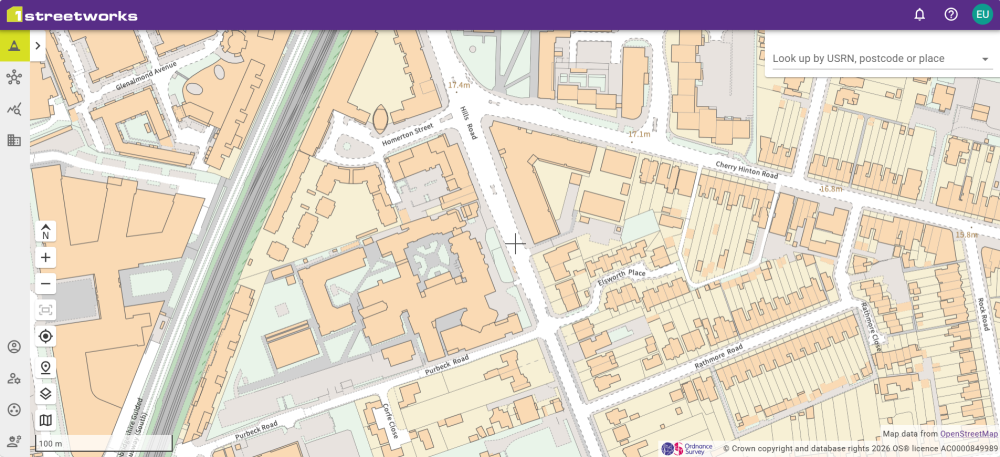
Complete the form in the Create Plan panel, only the Name and Promoter are required, the other fields are optional and can be updated later on. Once everything is filled in, select Create.

Note: If you are not zoomed in enough, the Create button will be greyed out.
Create Plan Details
|
Detail |
Description |
|---|---|
|
Plan Name |
The name of the plan. |
|
Reference |
This is a reference identifier for the plan. This will vary by organisation using 1Streetworks but is typically a contract reference or a drawing number. |
|
Location |
The location name to be entered manually. This is a text field that can be as descriptive as necessary. |
|
Planned works start |
Select the date and the time that the works is required to start at. |
|
Planned works end |
Select the date and the time that the works is required to end at. |
|
Active working hours start/end |
Set the times for the active working hours that apply to this plan. |
|
Active working hours are 24 hours/day |
Selecting this marks the Active working hours as all day, overriding the Active work hours start and end times. |
|
Promoter |
A choice of SWA Organisations from your organisations SWA Organisation list. |
|
Signage Language |
Set the language(s) for any signage added to the Plan. Bilingual signage is made available under the "Welsh and English" option. |
Plans can be either created with the Auto-draft or manually. Select the preferred method and click Continue.
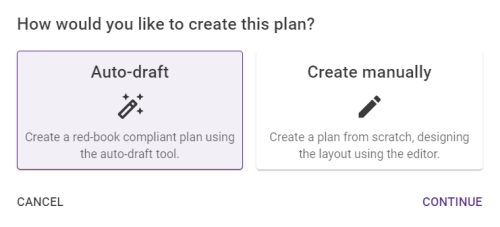
Auto-Draft Plan
Creating an Auto-draft plan opens the 4-step Auto-draft tab, which guides you through the process of getting a plan ready. Beginning with creating the Works Area, to submitting the plan to the 1Streetworks Auto-Draft process.
These steps are needed because they allow you to enter details that are specific to this plan and cannot be obtained from the Ordnance Survey data. The required information will affect things such as the size of the safety zone and the traffic management approach which will be determined by the underlying rules logic.
|
Step |
Description |
|---|---|
|
1 - Works Area |
The initial building block of a plan is the Works Area, as represented in the “Red Book” - Safety at Street Works and Road Works - A Code of Practice - October 2013 This may or may not be an excavation. At least one works area must be created per plan. |
|
2 - Works |
Further details about the works themselves. |
|
3 - Vehicles |
Information about the vehicle counts on the carriageway and bus and cycle questions. |
|
4 - Pedestrians |
This final step asks about pedestrian count and questions regarding whether a pedestrian diversion will be necessary. |
Manual Plan
Creating a manual plan immediately creates an empty plan with only the Plan information Details tab filled in.
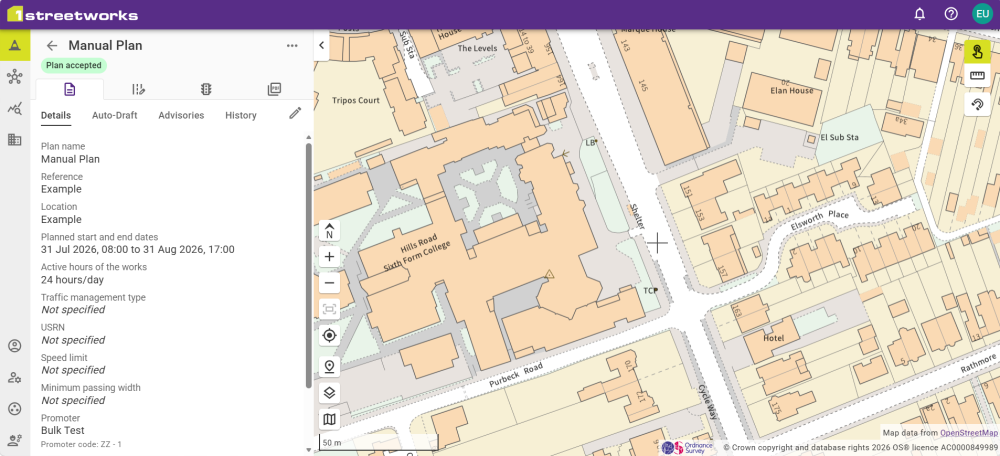
Plan Features remains the same as Auto-drafted plans, allowing for features to be added/removed, Diversions to be created, Signals to be added, and Generating PDFs.
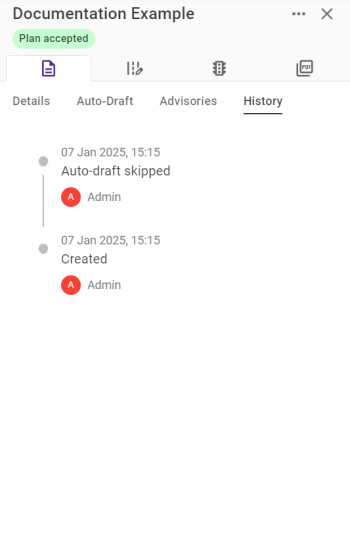
The Plan Information History tab will contain an entry for the Auto-draft being skipped to differentiate between Manual and Auto-drafted plans.
 minute read