
Migrating from Non-Esri to Utility Network – A Rework of our Readiness App
Migrating from Non-Esri to Utility Network – A Rework of our Readiness App

I recently had a pre-sales task given to me. It was to do a demo for a Utility that is migrating to the ESRI Utility Network. Easy. Our UN Readiness App is pre-configured for GIS formats to check geometry & network only, so there’s no schema to worry about. No preparation, no nothing. Until the spanner came: We aren’t an ESRI house. All of our asset data is hosted in Oracle. Hmm.. That’s a new one for me. Maybe there will be some prep!
It made me realise I had been pigeon-holed into assuming that people going to the UN were already an ESRI house, but of course, this wouldn’t be the case for everyone. An easy answer is to convert from Oracle to GDB, then use our Readiness App. But that undermines the huge requirement for a functional UN: data errors must be at 0. And to properly get errors to 0, data must be validated at the source, and not from a converted file, where geometric and subsequent topology errors can be introduced. And combined with our recent acquisition by VertiGIS, where the 1Spatial tech is a critical piece to solidify the functionality of VertiGIS apps off the Utility Network, this really needs to be addressed. So how do I tackle this?
Luckily, it wasn’t hard at all. It was merely replacing the GDB file reader with an Oracle reader. This sounds a little boring, but the beauty is in the tech. The rules constructed in the underlying rule engine (1Integrate) do not refer to a feature class. It points to data types. This way, it does not matter what GIS format or what database the data is hosted in, as long as the rules are set to apply to ‘all-geometric’ features.
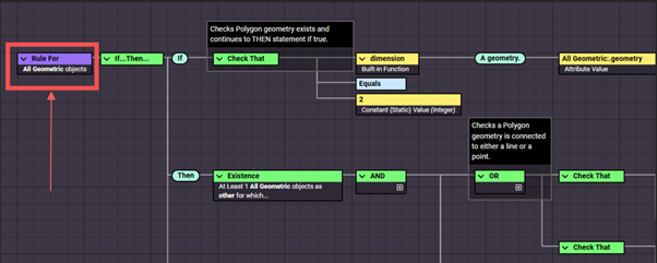
This cuts through relational tables and other “noise” that may not apply to their future UN schema. And additionally, they can be set to ‘all-non geometric’ features for metadata and attribute-only tables, when/if that comes around. And to make it even sweeter, the validated and/or corrected source data can easily be natively written to UN formats, such as GDB for testing, or an SDE, and be validated by our UN Validation App. 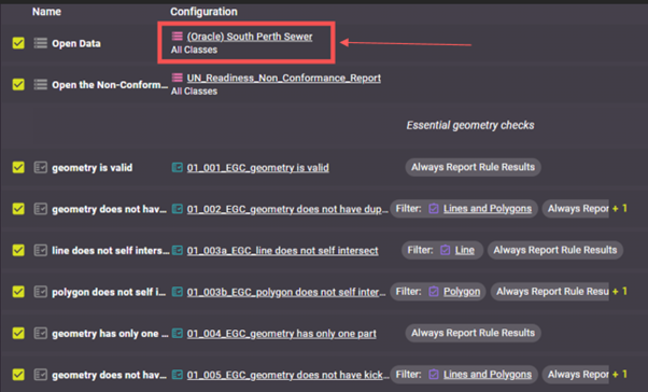
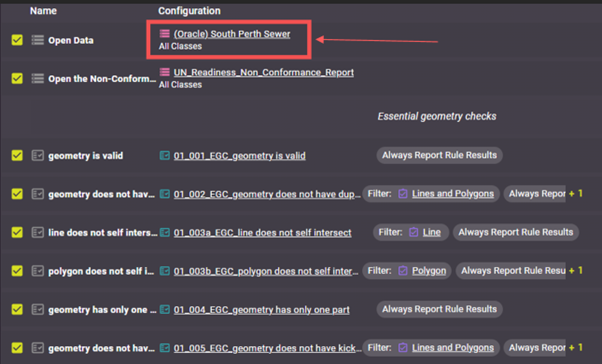
I thought this would be a good blog piece for those who see this as a huge blocker, and are wondering how they would ensure they get 0 errors in the UN if they had to convert their database to GIS before migrating. Or, more likely, facing the daunting task of constructing a custom spaghetti monster FME Workspace or Python script to do the geometry and (especially) network checks. Because at the end of the day, the UN and VertiGIS apps aren’t built to compensate for weak data – they rely on its integrity, and nailing a good process of cleaning the data before migrating is, from my experience, undervalued and under resourced. I think it’s one of the most important steps, and not addressing it properly has drawn out migration, kicked out deadlines, and wasted a lot of money.
By Michael Studdert
About 1Spatial Australia
We help Australian owners turn design models and field captures into operationally trusted network data using rules based validation (1Integrate, 1Data Gateway), automated integration and conflation (including ArcGIS Utility Network pathways), and FMEpowered 2D/3D data engineering. Our approach aligns with the sector’s priorities: interoperability, faster delivery and resilient services.
Contact Us